Oct 12, 2026
When writing or reading code, I had this feeling I couldn’t quite put a name to. Subtle enough that it wouldn’t bother me on a daily basis. Heavy enough that it would show up every now and then. I knew it was related to the colorscheme, but I couldn’t say exactly what.
It wasn’t until I came across A Dictionary of Color Combinations by Wada Sanzō that I could almost put it into words. It was about harmony. Not within the palette, but between the palette and the source code.
None of the colorschemes I tried, and I tried a lot, were designed around what each token in the code actually is. LSP and Treesitter already know whether a token is a function, a type or a keyword, yet colorschemes rarely take advantage of it. Most of them use color as a creative palette to add variety, which some people describe as a clown puking on the source code. Even the muted or minimal ones failed at this.
Then I remembered a post about syntax highlighting that went viral.1 Reading it again, I realized it described exactly what I had been feeling: most highlighting adds color without adding meaning. And I still hadn’t solved it.
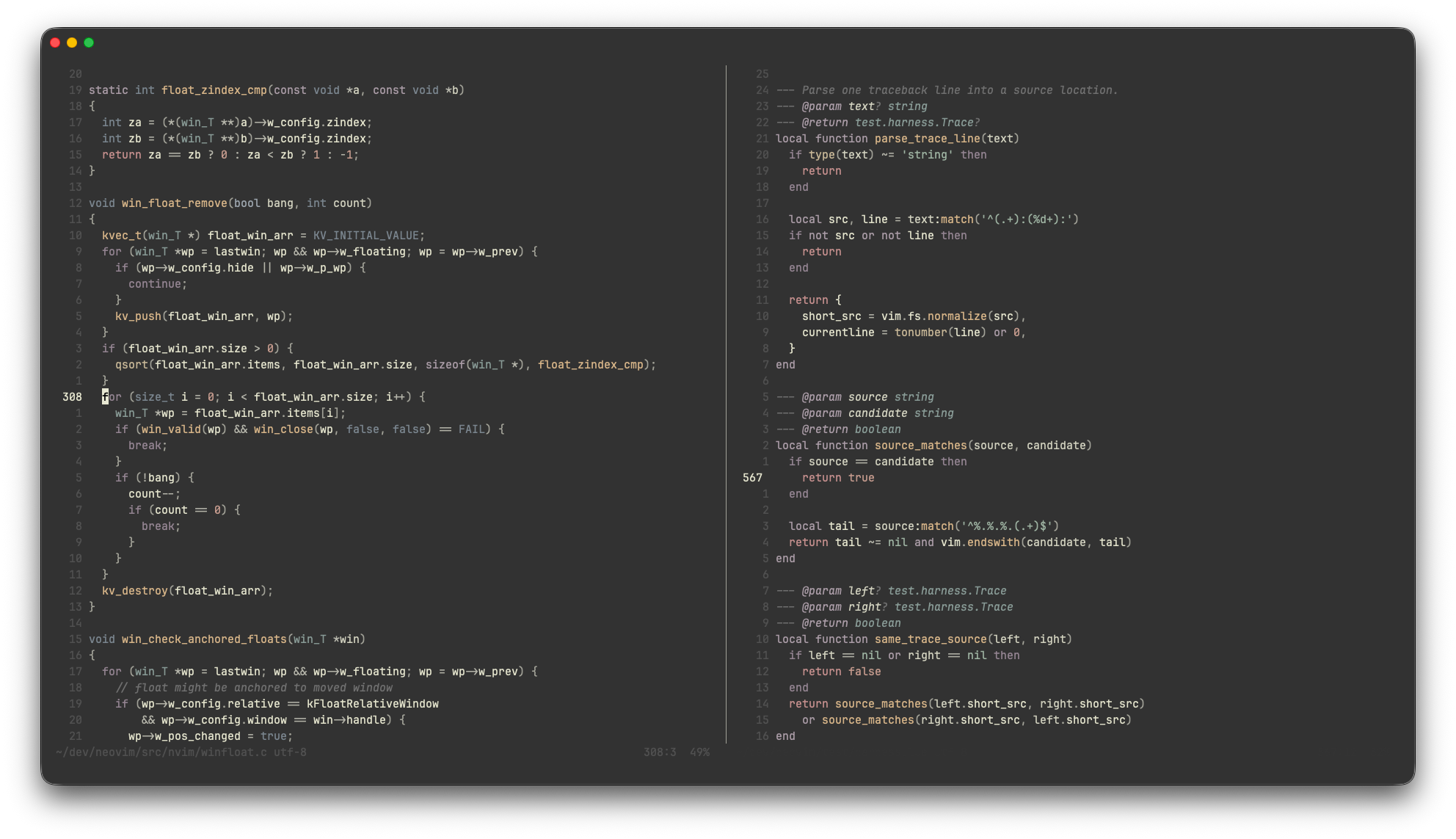
As you might expect, I wrote my own colorscheme. Not just a palette that suited my taste, but one with visual hierarchy at its core. It turned out to be a simple task: mapping groups of colors to groups of code.
But what groups?
At first, the distinction was clear: functions, types, strings, keywords, constant values and control flow. But it felt shallow. All functions looked the same, and I couldn’t tell a standard library function from one of my own.
So I split each group in two: what comes from the language and its standard library, and what is defined in my code. I mostly program in C, so now I can tell malloc or pthread calls apart from my own functions at a glance. The same goes for types: int and uint8_t come from the language, while u8 is my own alias. In Rust the line falls at the standard library, in JavaScript, at ECMAScript and the runtime APIs. Control flow gets its own split: looping and branching on one side, returning from the function on the other.
Navigating a codebase has become a smooth experience. Whether I’m reading other people’s code, where the style differs, or revisiting my own old code, I can spot the control flow or the custom types without effort. I “know” what something “means” by its color.
The result is a Neovim plugin. The default palette reflects my taste, but setting your own is straightforward. Whatever colors you choose, the harmony between the code and the colorscheme is preserved.
codeberg.org/navahas/sanzo.nvim
Nikita Prokopov, on syntax highlighting. https://tonsky.me/blog/syntax-highlighting/↩︎